이 가이드가 유용한 이유
이 가이드는 앱 설치 없이 빠르고 안전하게 즐길 수 있는 브라우저 게임을 찾는 데 도움을 줍니다. Gamozy는 작은 화면에서도 보기 좋고 짧은 시간에 즐길 수 있는 게임을 쉽게 찾도록 구성되어 있습니다.
나에게 맞는 게임 고르는 법
시작하기 전에 카테고리, 로딩 속도, 조작 방식, 플레이 시간을 확인하세요. 좋은 브라우저 게임은 몇 초 안에 시작되고 쉬는 시간에도 부담 없이 즐길 수 있습니다.
모바일과 데스크톱 팁
모바일에서는 터치나 스와이프 조작 게임이 좋습니다. 데스크톱에서는 키보드 게임, 퍼즐, 레이싱, 액션, 전략 게임이 잘 맞습니다.
자주 묻는 질문
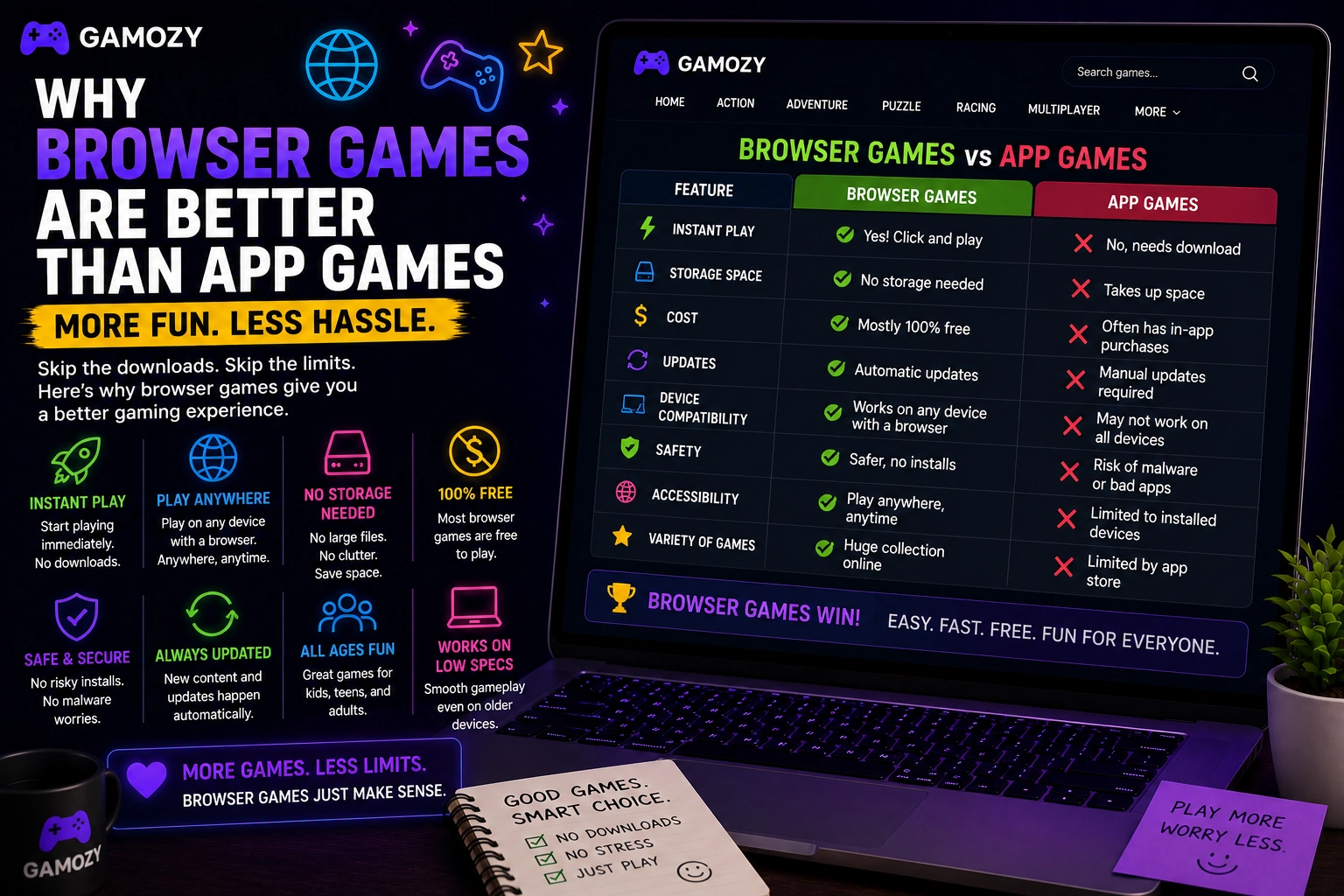
App games have platform fragmentation problems that browser games simply don't. An iOS app doesn't work on Android. An Android game might not be compatible with your specific phone model or OS version. A game you loved on your old phone might not be available for your new one. Browser games are platform-agnostic by design. An HTML5 game that works in Chrome on a Windows laptop works in Chrome on an Android phone, Safari on an iPhone, Edge on a tablet, and the built-in browser on a Chromebook. You don't need to check compatibility, worry about OS versions, or deal with the frustration of a game you want not being available for your device.
When Apps Are Still the Better Choice
Browser games aren't the right format for everything, and it's worth being honest about where apps win. High-end graphics, complex 3D environments, and games that require sustained offline play are all better suited to apps or native software. Games that benefit deeply from gyroscope, haptic feedback, or advanced touch gestures also play better as native apps. And if you want to play something on a plane without WiFi for hours, a downloaded app is the only realistic option. The point isn't that browser games are always better — it's that for casual, pick-up-and-play gaming where you just want to have fun for a few minutes without any setup or cost, browser games are frequently the better choice and deserve more credit than they get.
Frequently Asked Questions
Recommended Gamozy Games
Try these related free browser games after reading the guide.