Por qué esta guía es útil
Esta guía ayuda a los jugadores a encontrar opciones rápidas, seguras y simples sin instalar aplicaciones. En Gamozy, los juegos se organizan para abrir rápido, funcionar bien en pantallas pequeñas y ofrecer sesiones cortas con controles fáciles.
Cómo elegir el juego correcto
Revisa la categoría, el tiempo de carga, los controles y el tipo de partida antes de empezar. Los mejores juegos de navegador permiten jugar en pocos segundos y volver fácilmente cuando tengas otro descanso.
Consejos para móvil y escritorio
En móvil conviene elegir juegos con controles de toque o deslizamiento. En escritorio funcionan muy bien los juegos de teclado, puzzle, carreras, acción y estrategia.
Preguntas frecuentes
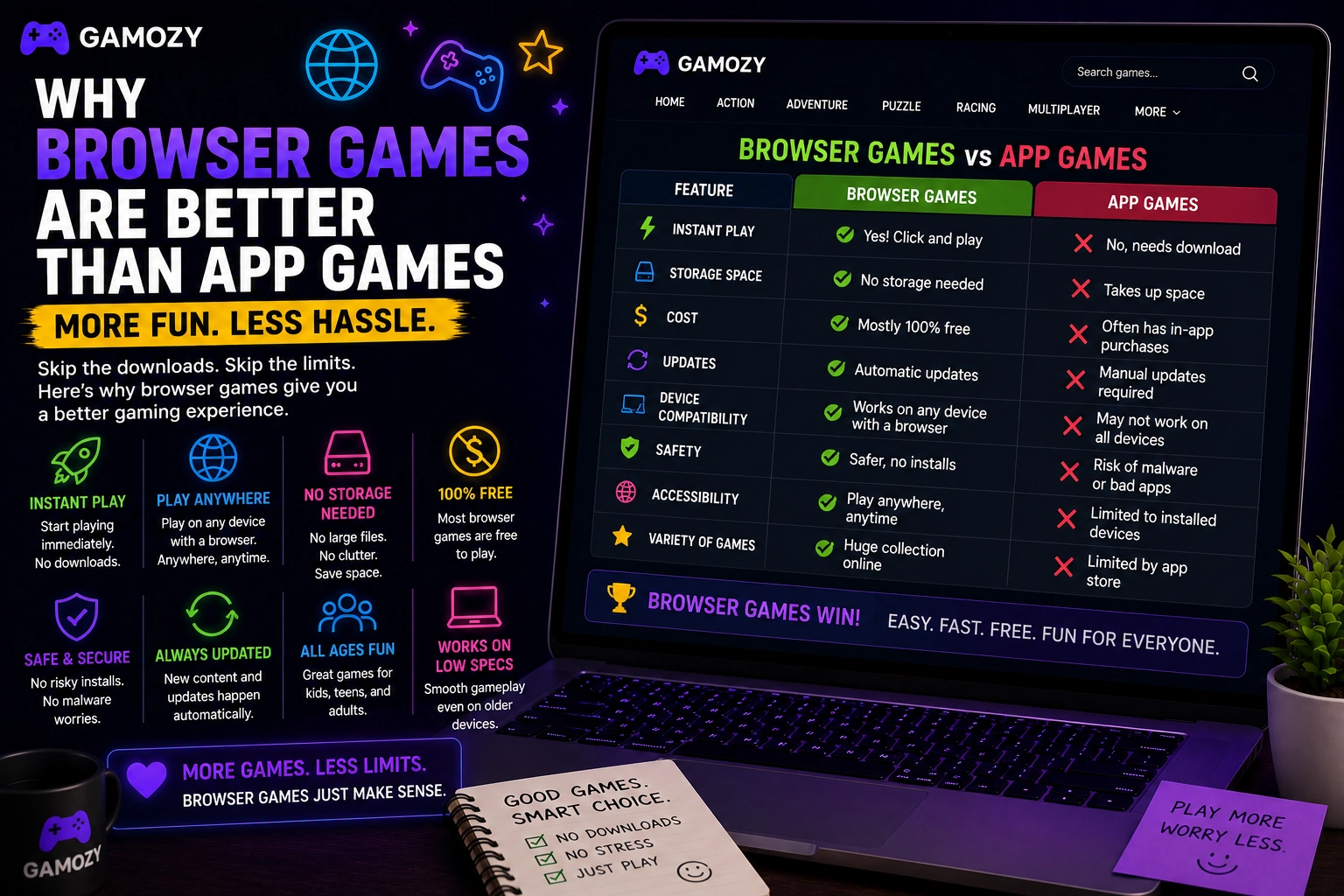
App games have platform fragmentation problems that browser games simply don't. An iOS app doesn't work on Android. An Android game might not be compatible with your specific phone model or OS version. A game you loved on your old phone might not be available for your new one. Browser games are platform-agnostic by design. An HTML5 game that works in Chrome on a Windows laptop works in Chrome on an Android phone, Safari on an iPhone, Edge on a tablet, and the built-in browser on a Chromebook. You don't need to check compatibility, worry about OS versions, or deal with the frustration of a game you want not being available for your device.
When Apps Are Still the Better Choice
Browser games aren't the right format for everything, and it's worth being honest about where apps win. High-end graphics, complex 3D environments, and games that require sustained offline play are all better suited to apps or native software. Games that benefit deeply from gyroscope, haptic feedback, or advanced touch gestures also play better as native apps. And if you want to play something on a plane without WiFi for hours, a downloaded app is the only realistic option. The point isn't that browser games are always better — it's that for casual, pick-up-and-play gaming where you just want to have fun for a few minutes without any setup or cost, browser games are frequently the better choice and deserve more credit than they get.
Frequently Asked Questions
Juegos recomendados de Gamozy
Prueba estos juegos gratis relacionados después de leer la guía.