Bu rehber neden yararlı
Bu rehber, uygulama kurmadan hızlı ve güvenli tarayıcı oyunları bulmanıza yardımcı olur. Gamozy oyunları hızlı açılacak, küçük ekranlarda iyi görünecek ve kısa oturumlarda kolay oynanacak şekilde düzenler.
Doğru oyun nasıl seçilir
Başlamadan önce kategori, yüklenme süresi, kontroller ve oyun tarzına bakın. İyi tarayıcı oyunları birkaç saniyede başlar ve kısa molalarda kolayca oynanır.
Mobil ve masaüstü ipuçları
Mobilde dokunma veya kaydırma kontrollü oyunlar daha rahattır. Masaüstünde klavye oyunları, bulmaca, yarış, aksiyon ve strateji oyunları iyi çalışır.
Sık sorulan sorular
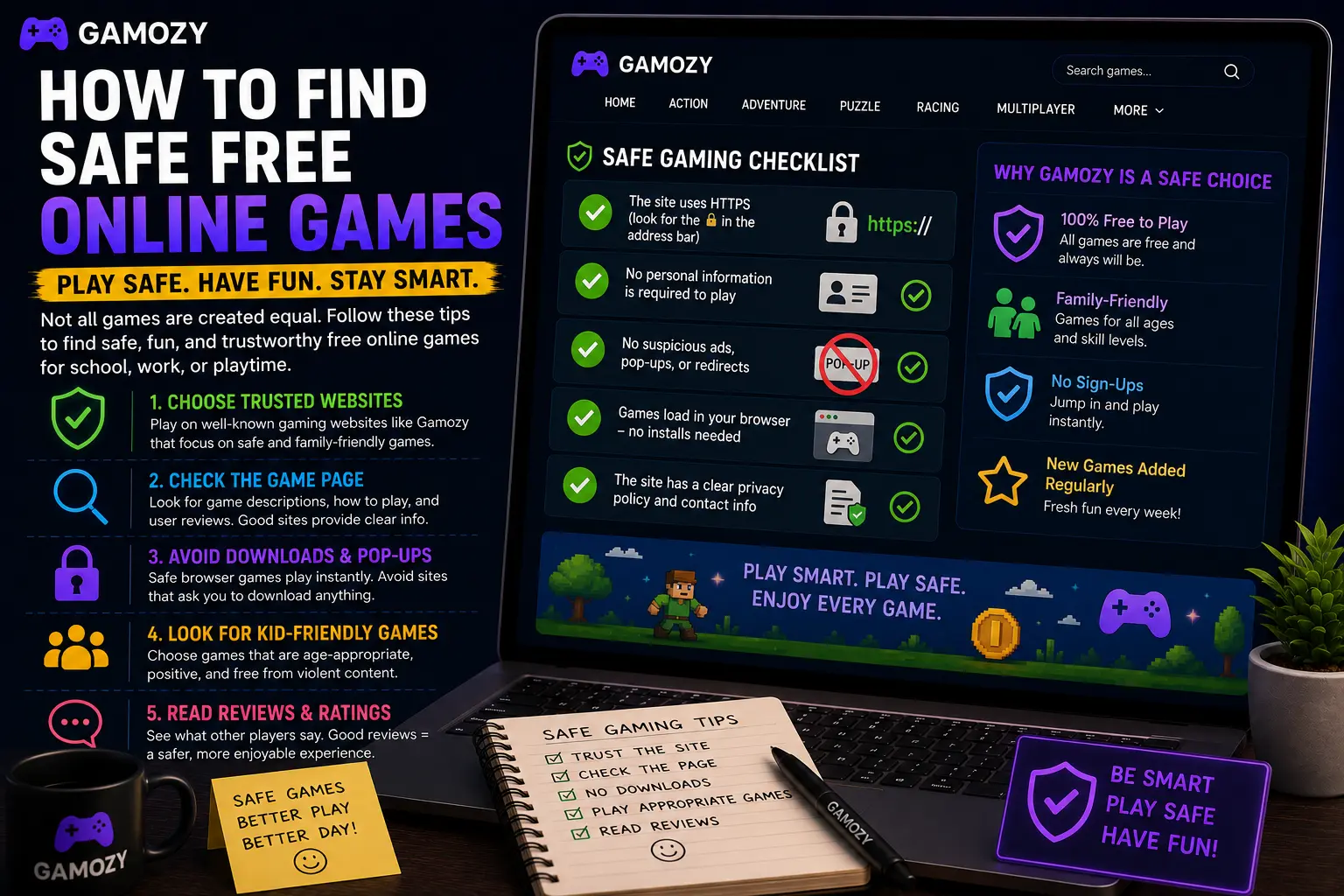
Beyond the technical stuff, the actual design and content of a game page tells you a lot about how much a site cares about its players. A quality game page should include a clear title and description of what the game is about, basic control instructions so you're not guessing, a category or genre tag, and information about how to play. It should also have visible links to a privacy policy and contact page — both signals that the site is being operated transparently. Gamozy game pages are built with all of this in mind. Every listing explains the game's premise, how to control it, and what makes it fun.
Use a Modern Browser for the Best Experience
This one's simple but genuinely makes a big difference: always play browser games in a modern, up-to-date browser. Chrome, Safari, Edge, and Firefox are all solid choices and they all handle HTML5 graphics, audio, and touch controls really well. Older browsers, in-app browsers (like the one that opens when you tap a link inside Instagram or TikTok), and outdated versions of any browser can cause games to load slowly, behave weirdly, or not work at all. If a game isn't loading or feels choppy on Gamozy, the first thing to try is opening it in a fresh Chrome or Safari tab. It fixes the issue nine times out of ten.
Safe Games to Try on Gamozy Right Now
If you're looking for a great starting point, here are four totally safe, totally free games on Gamozy worth trying today. Animal Saga is a colorful match-three adventure game with adorable characters and satisfying level progression — great for all ages. Water Color Sort is a brilliant puzzle game where you sort colored water into matching tubes; it's incredibly relaxing and genuinely tricky on later levels. Ludo Royal brings the classic board game online with smooth multiplayer gameplay and beautiful visuals. Bubble Blaster is an arcade-style bubble shooter with tight controls and plenty of stages to work through.
How Gamozy Approaches Player Safety
Gamozy was designed around the principle that gaming should be instant, frictionless, and worry-free. Every game in the library runs in HTML5 — meaning nothing ever needs to be downloaded to your device. The site uses HTTPS across the board, so your connection is always secure. Games are curated for quality and compatibility, so you're not stumbling into broken titles or sketchy third-party content. There are no forced account signups, no subscription traps, and no misleading download buttons. The goal is simple: you show up, you pick a game, you play.
Frequently Asked Questions
Recommended Gamozy Games
Try these related free browser games after reading the guide.